
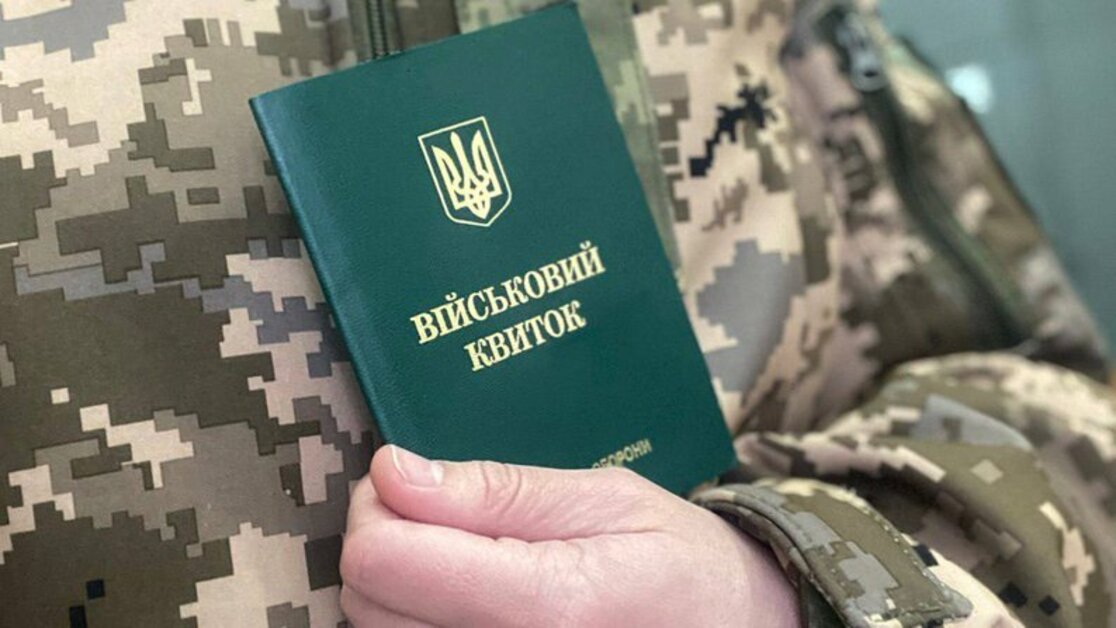
How to obtain a military ID during martial law offline and online: instructions
A military ID is not just a formal document but the backbone of the civil-military framework of modern Ukraine. It confirms your status within the national defense system, allows you to be employed legally and pass through checkpoints, and, in the context of full-scale war, becomes a key element for identifying and managing the mobilization reserve. In 2025, the system for registering conscripts and reservists underwent a series of changes that simplified and sped up issuance of the ID while increasing oversight of timely document acquisition. In this guide, we detail the steps to obtain a military ID offline, how to use the Diia and Reserve+ online tools, which documents and timelines are set by law, and what to do in case of loss or damage.
Who needs this and why
Who is entitled/required to obtain the ID
All male citizens of Ukraine aged 25 and over who are on the military register are entitled to obtain a military ID. Certain categories of women employed at strategic enterprises are also subject to registration and may receive an equivalent document. On 30 May 2023, the Verkhovna Rada adopted Law No. 3127-IX, which entered into force on 4 April 2024 and lowered the draft age from 27 to 25, expanding the circle of people now required to apply to the Territorial Recruitment and Social Support Centers (TRCs) for the first time. This law introduced relevant amendments to the Law of Ukraine “On Military Duty and Military Service” of 25.03.1992 No. 2232-XII. Reservists and those who previously had only draft certificates are now obliged to obtain a full military ID.
Why it matters — mobilization, fines, checks
During martial law, the absence of a military ID is considered a violation of military registration. Administrative fines range from UAH 17,000 to 25,500, and for repeat violations — up to UAH 34,000. Failure to meet deadlines for obtaining the document can lead not only to financial sanctions but also to a ban on leaving your locality during mobilization activities. In addition, without the document, you may be refused an employment contract, and there is a risk of being detained at checkpoints for verification in the “Oberig” register.
Legal framework
Key instruments: the Law “On Military Duty…”, Cabinet of Ministers resolutions
The current legal framework for issuing a military ID is based on the Law of Ukraine “On Military Duty and Military Service” with the latest amendments of 2024–2025. The key acts are Law No. 3127-IX, which introduced electronic registration of conscripts and reservists for the first time, and CMU Resolution No. 563 of 16.05.2024, which detailed the procedure for entering data into the state register. Subsequently, the Cabinet approved Resolution No. 1558 of 31.12.2024, which officially allowed the use of a PDF copy and QR code instead of a paper form.
Changes during martial law and e-registration
Due to rapid digitalization in 2024–2025, the Diia portal and the Reserve+ app integrated all key military registration services. You can now apply in a few clicks, whereas previously you had to wait in line at the military office. The electronic ID updates automatically based on medical board (VLC) results and mobilization summonses. SMS notifications about status changes and document readiness were introduced.
Required documents
Mandatory
For first-time issuance you need:
- Application form T-6;
- Passport of a citizen of Ukraine (ID card or draft certificate);
- Taxpayer identification number;
- Color photo (30×40 mm);
- Medical board (VLC) certificate or conclusion.
All documents must be valid and unexpired; photos must be taken no earlier than six months prior to submission.
Additional
- Marriage certificate or children’s birth certificates;
- Diplomas and certificates;
- Certificates granting deferral due to health or family circumstances.
Having these papers speeds up registration and reduces the risk of callbacks for clarifications.
How to obtain the ID offline
Step 1 — prepare documents
Prepare at least two sets of copies plus originals. It’s recommended to update your photo at a studio in advance and check that you have all required medical certificates.
Step 2 — apply to the TRC / military office
Come during reception days according to your TRC’s schedule posted on the Ministry of Defense website. After registration, you’ll receive an individual case number and a date for the medical board.
Step 3 — pass the VLC
The medical board includes vision and hearing tests, blood pressure measurement and, if necessary, blood tests. Based on the results, a medical conclusion is issued, which determines the fitness category.
Step 4 — waiting and collection
After all scans and data are transferred to the electronic register, printing the paper form takes about 10–14 working days. It’s advisable to check the status in the TRC account or by phone.
How to obtain the ID online via Diia / Reserve+
Why this is convenient
This method minimizes human-factor risks, avoids queues, and keeps a copy on your smartphone. The e-ID is not dependent on paper forms, so it’s easy to show on a mobile device even in adverse conditions. Thanks to integration with messengers and Wallet, you can instantly send a copy to relatives or an employer without extra copying or scanning.
Step-by-step: BankID, form, timelines
Sign-in via BankID
- Open the Diia portal (diia.gov.ua) on your computer or mobile browser and click “Sign in”.
- Select your bank from the list and confirm via the bank’s app or online banking.
- After successful identification, you’ll be taken to your personal account with your data.
Complete the e-application
- In the services menu, find “Military registration” and click “Get a military ID”.
- Check that the system correctly retrieves your name, TIN, date of birth, and registered address.
- If you need to update your photo or VLC data, click “Edit” and upload a new JPG/PNG file.
Sign with a QES (qualified e-signature)
- Review the personal-data processing terms and consent to their use.
- Sign the application with your qualified e-signature via your bank or a qualified trust service provider.
- After signing, the system records your e-signature and forwards the form for processing to the Ministry of Defense register.
Processing time and verification
- Verification and synchronization with the register usually takes up to 24 hours.
- In peak periods (mass mobilization, holidays, evenings) this may extend to 48 hours.
- Track the status in your account: it changes from “In processing” to “Ready to download”.
Download the ready document
- Once the status is “Ready to download”, click “Download PDF”.
- Save the file to your smartphone or computer — it contains a dynamic QR code that automatically verifies validity.
- Optionally, add the PDF to your Wallet app or send a copy to your employer/relatives via messengers.
How to get a PDF / QR copy
Click “Download” to get a protected document with a QR code. This code will display data validity and the last update date. You can also save the file to Wallet or Google Pay for quick access.
Issuance timelines and terms
Offline — about 10–14 / up to 30 days
In million-plus cities, the processing time may shrink to a week, whereas in border areas it may extend to a month due to logistics delays with form delivery. Emergencies in certain regions can add another 5–7 working days due to additional security list checks. Also note that submissions around holidays may be rescheduled, so check your TRC’s working hours in advance.
Online — about 24/48 hours
The electronic version is usually generated within a day, but at peak times (morning/evening load) the period may stretch to 48 hours. The system sends SMS and push notifications on status changes, and if the Diia portal has a short maintenance window, it typically announces downtime 1–2 days in advance. After service is restored, your application is processed immediately in priority mode.
What to do if the ID is lost or damaged
Action plan: statement, police, photos, TRC application
If you lose or damage your military ID, act clearly and consistently to restore the document and avoid extra fines. First, document the loss or damage, get official confirmation from the police, and prepare the full set of documents for re-issuance. Below is a step-by-step algorithm:
Police report
- Go to the nearest police station and file a report about the loss or damage of the military ID.
- Obtain a certificate from the Unified Register of Pre-Trial Investigations (ERDR) confirming that your report has been registered.
Updated photos
- Take new official photos (30×40 mm) at a photo studio or at the TRC if available.
- Ensure the photo meets the requirements (quality, background, file format).
Apply to the Territorial Recruitment Center (TRC)
- Gather originals and copies: passport, TIN, police certificate, new photos, medical card or VLC conclusion.
- Submit the package to your TRC with the note “Please issue a duplicate military ID”.
- Sign the restoration application — you will receive a slip with the date to collect the duplicate.
Restoration timelines, fines
Obtaining a duplicate usually takes up to 20 working days, but in some cases (lack of forms or extra checks) may be extended to a month. If you fail to restore it on time without valid reasons, a fine from UAH 17,000 to 25,500 applies under Art. 211-5 of the CUAO.

Liability and fines
Administrative liability for evasion
Article 211-5 of the CUAO provides liability for violations of military registration, with significantly tougher sanctions during martial law. A violation may be recorded as failure to appear on a summons or absence of a military ID when required by controlling authorities. Evasion of mandatory registration not only entails fines but may also result in a temporary ban on leaving the region or country until circumstances are clarified.
Fine amounts
The first sanction is UAH 17,000–25,500, and a repeat one — up to UAH 34,000. In addition to monetary penalties, the violator may be sentenced to community service for up to 40 hours. In cases of systematic evasion, the case is referred to law enforcement, which may lead to harsher punishment under Art. 336 of the Criminal Code.
FAQ
Can I apply online if I haven’t served?
Yes. The system automatically queries the register. If no data are found, you will be instructed to contact your TRC. The offline issuance then proceeds in the standard manner without extra special requirements.
What is the draft age?
From 25 — mandatory registration; 18–24 — voluntary preliminary registration is possible. Upon turning 25, all such persons are automatically entered into the conscript register without additional applications.
When is the VLC required?
At first-time issuance or when health status changes — if the previous conclusion has expired (is more than 12 months old). If medical data in the register are current (VLC passed less than a year ago), an additional examination is not required.
Consultation and assistance
For qualified assistance on military registration, mobilization, and rights restoration, go to the “Military Law” service page of Pravovyi Lider. Click “Request a consultation” and fill out the short form: provide your full name, phone number, email, and describe the issue (e.g., lost ID, appealing a TRC decision, etc.). After submitting the request, a specialist will contact you within 1–2 hours, arrange a convenient time to talk, and provide a preliminary assessment.

Leave a request for consultation and our specialist will contact you soon!
Leave a request and our specialist will contact you soon!
More useful information




Fill out the form or contact us in any way convenient for you
Choose the nearest office to you and receive consultations in a convenient format for you